100% FREE | DEPLOYMENT_STATUS: BETA_2_0_ACTIVE

Windows Deployment Simplified.

BitOSDT is a 100% free Windows deployment tool that brings image creation, source download, OOBE tuning, app selection, update policy, and output build into one focused flow. It fits teams replacing manual imaging, ad-hoc USB workflows, or older WDS-heavy setups.

Prefer a walkthrough first? Launch interactive demo or review the deployment use cases.

Live Demo Console

Clickable browser replica of the BitOSDT mission flow. Screenshots are optional references only, not the interaction engine.

Mission Control

Review workspace state and launch your next operation.
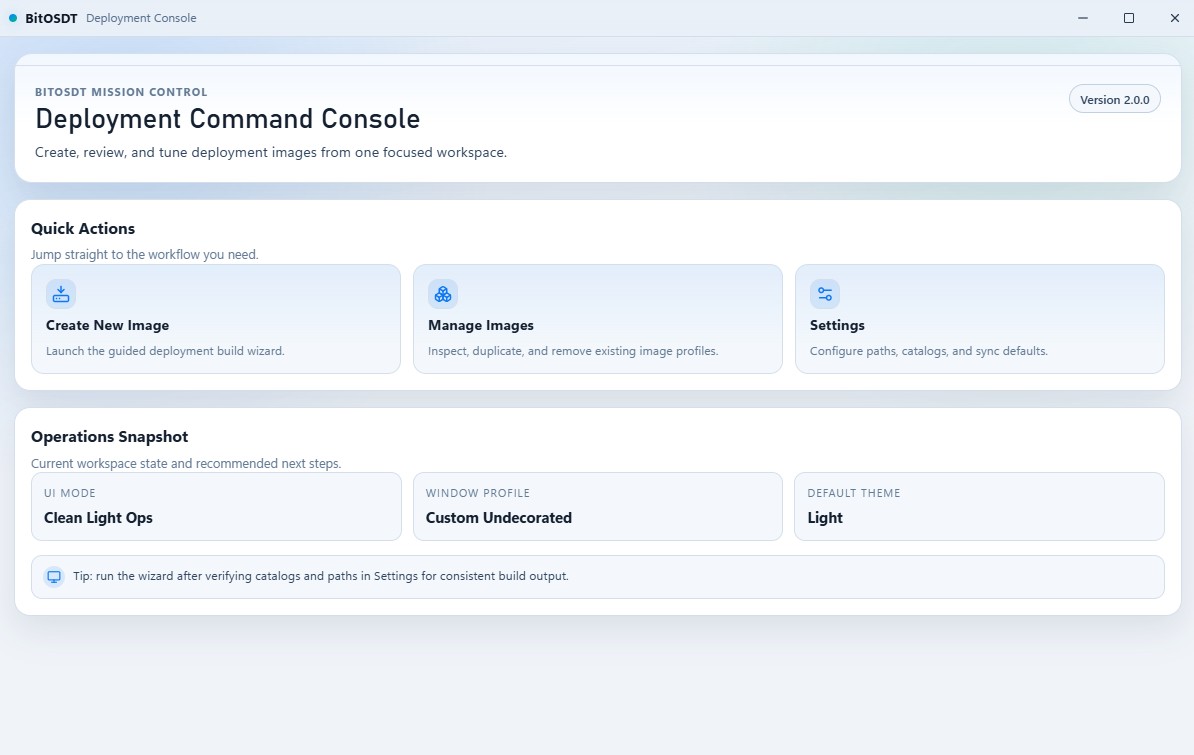
Mission control reference screenshot

Reference capture: optional screenshot from the desktop UI.

Output mode supports Full ISO, Lightweight ISO, or both. Lightweight constraints follow the same conditional logic as the app.

Features

Current BitOSDT 2.0 capabilities implemented in the Cargo app and exposed through the desktop wizard.

7-Step Wizard Guided from source selection to final output media.
Dual ISO Modes Build Full ISO, Lightweight ISO, or both in one run.
Hands-Off Deploy Automates drivers, partitioning, apps, and updates.

Build and Profile Control

  • Guided image wizard for source, OOBE/users, domain/autopilot, apps, updates, and output
  • Image management with reusable deployment profiles
  • WinPE builder with Full ISO and Lightweight ISO output modes

Deployment and Runtime Engine

  • Hardware detection with automatic DriverPack matching
  • Deployment engine for disk partitioning, WIM apply, and boot configuration
  • Post-install app flows using Winget, Chocolatey, and custom installers

Future Features

Planned roadmap items and in-progress capabilities.

  • PXE Server
  • Custom Windows Boot Icon (Enterprise Only)
  • Custom Recovery Image
  • Local Policy Editor
  • Device Management
  • Linux Support (Partially Complete)
  • CMD/CLI Build (Partially Complete)

Looking For a WDS Alternative?

BitOSDT combines Full ISO builds, Lightweight ISO delivery, and WDS/PXE export preparation in one Windows deployment workflow.

  • Build a bootable image for USB or direct media deployment
  • Export a WDS-friendly boot payload and host the runtime image yourself
  • Keep OOBE, apps, drivers, and post-install behavior in one saved profile

Need a Windows ISO Builder or Downloader?

BitOSDT supports local ISO, ESD, and WIM sources alongside cloud-backed source selection, then turns that source into deployment-ready output.

  • Start from local source media or cloud download workflows
  • Add drivers, applications, and update settings before you build
  • Output Full ISO, Lightweight ISO, or both in one run

Transparent by Design

BitOSDT is aimed at operators who want clear prerequisites, predictable file locations, and visible runtime behavior instead of a black-box deployment stack.

  • Public docs cover prerequisites, paths, logs, and deployment order
  • The forum and changelog expose release history and build availability
  • The download flow stays free and clearly documents the ADK/WinPE requirements

Changelog

Recent features, fixes, and improvements from the latest BitOSDT updates.

Loading changelog...